![WorldVia Logo.png]](https://kb.worldviatravelnetwork.com/hs-fs/hubfs/Email%20Signatures/WorldVia%20Logo.png?height=40&name=WorldVia%20Logo.png)
If you all receive one of these Barracuda Quarantine emails, it's telling us that an email that was sent to us isn't getting through. They have to be allowed. Please follow the instructions below:
- Review the emails that are listed to see if they are emails that need to be allowed into our inbox.
- If you see an email that needs to be allowed, click Allow sender
- Click "Deliver message and allow sender"
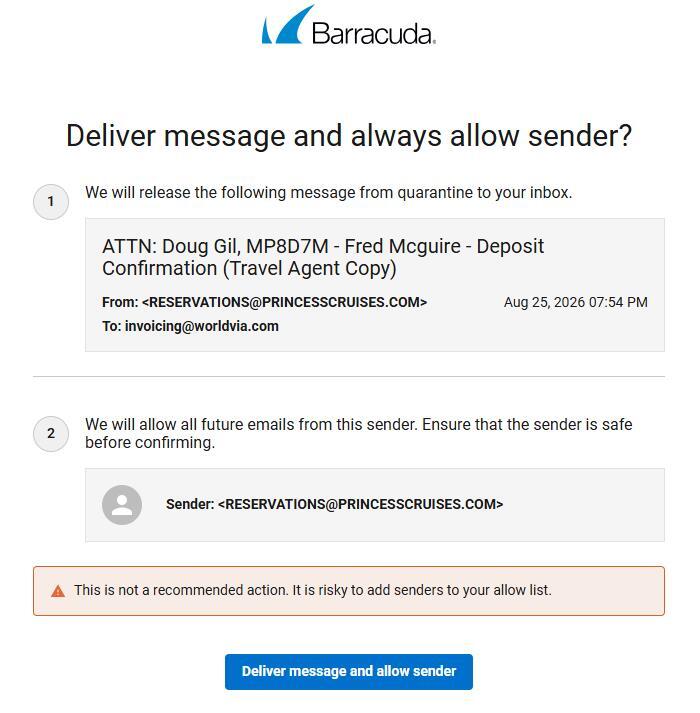
- Complete this process for any and all emails in the ticket that need to be allowed.
Please note, these tickets are not exclusive to one Member Success team member. If you receive the ticket, follow the process outlined.